Showing posts with label Lightning component dynamic styling. Show all posts

Thursday, July 30, 2020

Two ways to set dynamic Style in lightning component

In this post I will tell you two ways to set dynamic style values in lightning components.


1.)  Use aura:html :

 you can use aura:html to give dynamic style to the lightning component . You can give a custom property (--textColor : black; ) in the component (between aura:html with style tag) and access  these values in the style bundle ( var(-- textColor) ) to set dynamic style. Refer below example to understand it more clearly :


  Component :


                       <aura:component >

                            <aura:attribute name="TextColor" type="string" default="red"/>
                            <aura:attribute name="Font_Size" type="string" default="100"/>
                            <aura:html tag="style">
                                :root {
                                --textColor: {!v.TextColor};
                                --FontSize: {!v.Font_Size+'px'};
                                   }
                            </aura:html>
                           <div class="Dstyle">Hello World</div>

                       </aura:component>

    I am taking the default value . You can set any valid value by controller.


     Style :


           .THIS.Dstyle{
                  color: var(--textColor);
                  font-size: var(--FontSize);
              }


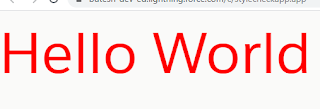
    Output :

                                        
Hello World

 In this example attributes are defined with default value and set this attribute in custom  property which is defined in aura:html. Use this custom property in style tab to give style  to lightning component


2.)  Use attributes directly in the style tag .

Refer below example to understand it more clearly :


 Componet :


                          <aura:component >

                                 <aura:attribute name="Font_Size" type="string" default="100px"/>
                                 <aura:attribute name="TextColor" type="string" default="red"/>
                                 <div style="{!'font-size:' + v.Font_Size + ';' + 'color :' + v.TextColor  }">                                                                                                                        hello world </div>
                          </aura:component>


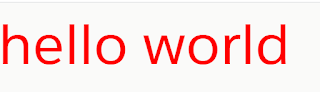
  Output:

                           
Hello World1

       In this example attributes value are directly used in style tag.            


  Easy Right....!!
  Thanks,
  Lovesalesforceyes.

Get selected radio button value in LWC

This post explains how to get selected radio button in LWC. Below is demo of output : To use the radio button in LWC you have to use the  li...