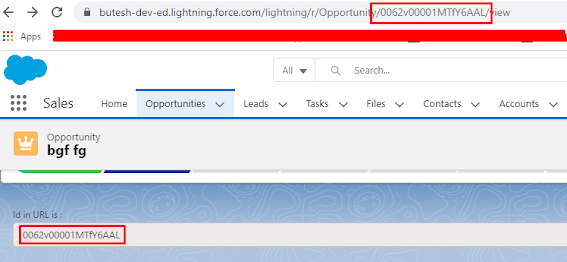
This post explains how to get Id from URL in LWC.
getParametersFromURL.html :
<template>
<div class="slds-p-around_medium lgc-bg">
<lightning-input type="text" label="Url " value={urlId} disabled="true"></lightning-input>
</div>
</template>
getParametersFromURL.js :
import { LightningElement, track} from 'lwc';
export default class getParametersFromURL extends LightningElement {
@track urlId;
connectedCallback() {
var urlParameters = window.location.href;
var urlStateParameters = urlParameters.split('Opportunity/');
var urlIDValue = urlStateParameters[1];
urlIDValue = urlIDValue.split('/');
this.urlId = urlIDValue[0];
}
}